Alphablocks, How to Write
Blue ZooEducational
3.33.00 Reviews
- Version
- 1.3.1
- Installs
- 10.00K
- Age Rating
- Everyone
Screenshots
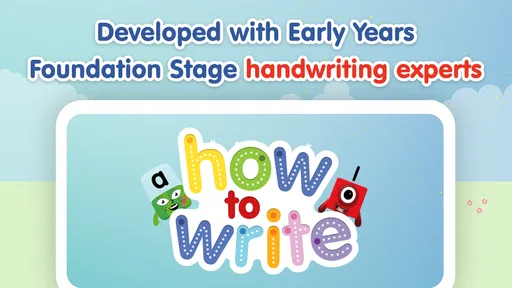
Our Review of Alphablocks, How to Write
 Analysis by Appyee
I’d treat Alphablocks, How to Write as a focused, character-led introduction to letters rather than a complete early-literacy course. Its appeal is easy to understand: familiar animated characters give young children a friendly way into writing practice, while the educational format keeps the activity pointed toward learning. That combination can make a short session feel less like a lesson. The trade-off is that parents should approach it as one tool in a wider mix of practice, not as a replacement for pencils, conversation, or reading together.
A playful route into letter practice
The game is made by Blue Zoo and sits in the educational category, with an Everyone age rating. It costs $3.99, so I’d think of it as a paid learning activity rather than a free game to try casually. Its average rating is 3.3 from around 65 ratings, a modest reception that makes me more cautious than I would be about a universally loved classroom staple. That doesn’t settle whether a particular child will enjoy it, but it does make a quick check of the fit especially sensible.
One useful way to judge that fit is to watch what your child does when a letter appears. Do they want to trace it, say its sound, and try again, or do they mainly want to tap through to the next animation? A character-led presentation can draw a child in, but attention and learning are not always the same thing. Sitting nearby for the first few sessions lets you see whether the app is prompting active practice or simply holding their attention.
Where it can fit into a real day
I can see this working best as a brief, predictable activity: perhaps while a parent is preparing dinner, or during a quiet stretch after school when a child wants something screen-based but still purposeful. I’d choose one small goal beforehand, such as looking carefully at a letter’s shape or saying its sound aloud, then stop when interest starts to fade. A short session followed by drawing that letter on paper gives the child a chance to carry the idea away from the screen.
That paper follow-up matters. A child can become comfortable responding to prompts on a device without yet being comfortable forming letters with a pencil. I’d keep a sheet and a chunky pencil nearby, and invite the child to make the same letter in their own way after playing. This is not a claim that the game teaches pencil control; it is a practical way to connect screen-based attention with the hand movement that writing eventually requires.
What to look for as a parent
Rather than asking whether a child has “finished” an activity, I’d listen for whether they can recognize or talk about a letter afterward. Let them explain what they noticed, even if their answer is incomplete. If they mix up a shape or sound, that is a useful cue to revisit it together, not a reason to turn playtime into a test. Keeping the mood relaxed is particularly important for children who are still building confidence with early writing.
Another practical approach is to use the game as a prompt for conversation rather than handing over the device and walking away. Ask the child to name a letter they noticed, find it in a familiar word, or point to something nearby that begins with the same sound. These small connections make the activity more personal and help you judge whether the child is engaging with letters rather than only with the characters.
Getting Started with Alphablocks
As soon as you open Alphablocks, How to Write, you’re greeted by a colorful and friendly interface. It’s like stepping into a vibrant world where letters come to life. The app is designed for kids, so the navigation is straightforward, and the graphics are engaging enough to keep their attention.
The first thing I noticed was how intuitive everything felt. Kids can easily jump right into learning without feeling overwhelmed. You don’t need to be tech-savvy to figure this one out, which is a huge plus for parents who might not be digital natives themselves.
The Learning Experience
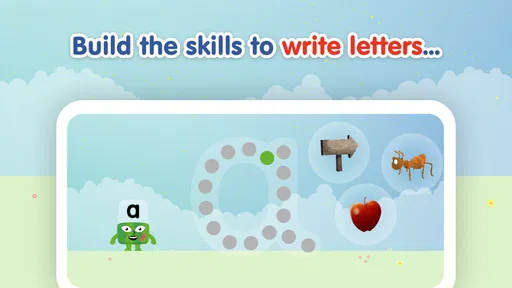
Okay, let’s dive into the good stuff. The main focus of the app is to teach kids how to write by using interactive alphabets. Each letter is represented by a character, and trust me, they’re adorable. The app uses phonics to help kids understand the sound each letter makes, which is crucial for building a strong foundation in reading and writing.
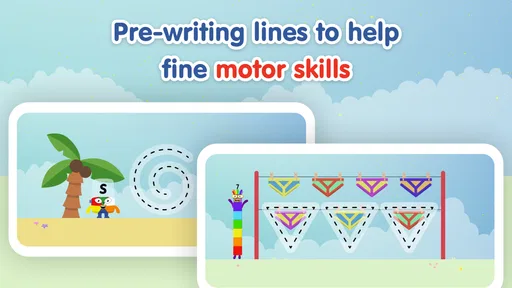
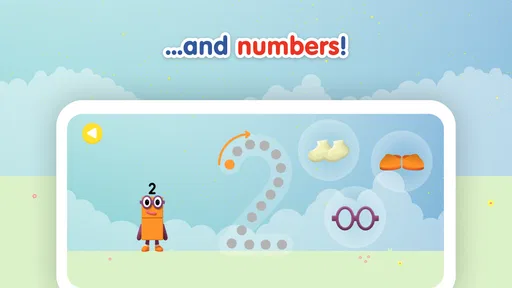
What I love about Alphablocks, How to Write is how it combines learning with play. The app features a series of mini-games and activities that reinforce the learning process. From tracing letters to matching sounds, each task is designed to enhance a child's writing skills while keeping them entertained.
Keeping the fun connected to learning
Character-led lessons are strongest when a child has enough room to respond at their own pace. I’d resist the temptation to guide every tap or supply every answer; let the child try first, then offer a hint if they get stuck. That small pause can show whether they understand what the activity is asking or are simply following the motion on screen. It also gives a parent a clearer sense of when to encourage and when to move on.
Compared with printable worksheets, this kind of activity can feel more inviting to a child who resists sitting down to write. A worksheet, however, gives more direct practice with a pencil and makes it easy to repeat one letter without switching contexts. Compared with a broad collection of alphabet videos, an interactive game can invite a response rather than just watching, but watching together may be better when a child is tired or needs a slower introduction. I’d choose between them based on the child’s energy and the skill you want to practice that day.
Why Kids Love It
Besides the obvious educational benefits, kids love this app because it feels like a game. The characters are lively, and there’s a sense of achievement when they complete a level or master a new letter. This gamification aspect is a clever way to motivate children to keep learning without feeling like it’s a chore.
Plus, the app doesn’t bombard kids with ads or unnecessary distractions. It’s a safe space where parents can let their children explore and learn without worry.
Where it may not be the right fit
I wouldn’t choose it as the only resource for a child who needs extensive handwriting practice, a carefully structured reading course, or individual support with a particular learning difficulty. A child who already knows letter names and sounds may also want more challenging work than an introductory alphabet activity offers. In those cases, paper practice, a teacher’s guidance, or a more advanced learning resource may be a better match.
It may also be less appealing to a child who does not know or care about the Alphablocks characters. Familiarity can make a themed activity feel welcoming, but it is not a universal shortcut to engagement. If your child prefers realistic drawing, open-ended play, or simple exercises without animated characters, I’d try a less character-driven option before expecting this one to hold their interest.
Parental Involvement
One of the standout features is the ability for parents to track their child’s progress. You can see which letters they’ve mastered and where they might need a bit more practice. This means you can tailor their learning experience to suit their individual needs, which is a huge bonus.
The app also provides tips and suggestions for parents on how to reinforce learning outside of the app. It’s like having a personal tutor right at your fingertips, making it easier to support your child’s educational journey.
Making the purchase decision
The game has 10K+ installs, and its current version is 1.3.1; it was released on Dec 16, 2021. It requires Android 6.0 or later. Those details are useful when checking whether it suits a household’s device, but the more important question is whether your child is at the stage of noticing letter shapes and sounds. Since it is a one-time $3.99 purchase, I’d weigh that cost against how often you expect to use a focused alphabet activity, rather than assuming a low price automatically makes it good value.
Before buying, I’d also think about how the child will use it: independently for a few minutes, or alongside an adult who can turn a screen prompt into a real-world writing opportunity. The second approach is more likely to make the game part of a useful routine. If you need a resource that can occupy a child for long stretches without your involvement, this is not the basis on which I’d recommend choosing an educational game.
Parents often want to know whether a child needs to read already, whether the game can replace handwriting practice, and whether it suits every beginner. I’d regard it as most promising for a child who is curious about letters and can benefit from a playful prompt, while staying close enough to help when needed. It should complement, not replace, writing on paper and everyday talk about words. For a child who needs a different pace or a more formal sequence, I’d look for support tailored to that need instead.
Final Thoughts
If you’re looking for an app that combines education with fun, Alphablocks, How to Write is definitely worth checking out. It’s engaging, intuitive, and most importantly, effective in helping kids learn to write. Your child will not only develop their writing skills but also gain confidence in their abilities.
So, why wait? Let your child embark on this colorful adventure of letters and sounds. You’ll be surprised at how quickly they pick up new skills, all while having a blast. Happy learning!
My recommendation is more measured: I’d consider it for a young learner who responds to animated characters and is beginning to explore letters, especially when an adult can occasionally join in. I would not buy it expecting a complete literacy program or proof that a child has mastered handwriting. The game’s strongest role is as an inviting starting point for a small practice session; its value depends on what you do with that interest once the screen is put away.
Verdict
Strengths of Alphablocks, How to Write
- Engaging and educational gameplay.
- Vibrant graphics enhance learning.
- Intuitive user interface for kids.
- Encourages phonetic awareness.
- Supports early literacy skills.
Limitations of Alphablocks, How to Write
- Limited content for older children.
- Requires in-app purchases for full access.
- No offline mode available.
- Some levels may be repetitive.
- Audio might be too loud for quiet settings.
Other Releases by Blue Zoo
View All
Meet the Numberblocks
Educational3.7

Numberblocks World
Educational3.6

Alphablocks World
Educational3.4

Numberblocks: Hide and Seek
Educational3.4
Similar Picks in This Category
View All
Little Panda Policeman
BabyBus4.0

Monster Trucks Game for Kids 2
Raz Games4.1

Little Panda's Chinese Recipes
BabyBus4.4

Little Panda's Restaurant
BabyBus4.4

Little Panda's Ice Cream Games
BabyBus4.3

Baby Panda Care
BabyBus3.8
Frequently Asked Questions
What is the main purpose of Alphablocks, How to Write?
Alphablocks, How to Write is designed to help young children learn how to write and recognize letters through interactive and engaging activities. It uses fun animations and games to teach letter formation and phonics, making the learning process enjoyable and effective for early learners.
Is Alphablocks, How to Write suitable for all age groups?
While Alphablocks, How to Write is primarily aimed at preschoolers and kindergarten-aged children, older kids who need extra practice with writing and phonics might also find it beneficial. It’s best suited for children who are just beginning to learn how to read and write.
What devices are compatible with Alphablocks, How to Write?
Alphablocks, How to Write is available for both Android and iOS devices. It can be downloaded from the Google Play Store and the Apple App Store. Ensure your device meets the app’s system requirements for optimal performance and functionality.
Does Alphablocks, How to Write require an internet connection to function?
Once downloaded, Alphablocks, How to Write generally does not require an ongoing internet connection to access its primary features. However, certain features or updates may need internet access, so check the app’s specifications to ensure you have the best experience.
Are there any in-app purchases or ads in Alphablocks, How to Write?
Alphablocks, How to Write may include in-app purchases to unlock additional content or features. It is designed to be child-friendly, so ads are minimal or nonexistent. Parents should review the app settings to manage or restrict purchases if desired.
Play our best games!


